
GB Pixel Converter
Turn photos and illustrations into Game Boy-style pixel art.
A browser-based image conversion tool.
About
ツールについてA web tool that converts any image into a Game Boy (GB) style pixel-art PNG just by dragging and dropping it. No installation needed; everything runs in your browser. I built it with asset creation for GB Studio in mind.
9 Dithering Methods
Control the result with 9 dithering methods, including Floyd-Steinberg, Atkinson and Bayer 2×2 to 8×8, plus an intensity slider.
GB Color Palette Support
Convert with the monochrome (DMG) 4-color palette. Color (GBC) mode supports up to 384 tiles, with a real-time warning if you exceed the tile limit.
Image Adjustments
Adjust brightness, contrast and gamma with sliders. Even dark or low-contrast images can be optimized with a single touch before conversion.
3 Resize Modes
Switch between letterbox, crop and stretch to adjust the output size freely. Sizes can be set in multiples of 8.
PNG / 3x Size Export
Besides saving a 1x PNG, you can export a 3x-size PNG for previewing with one click. Use the 1x version when importing into GB Studio.
Screen
スクリーンショット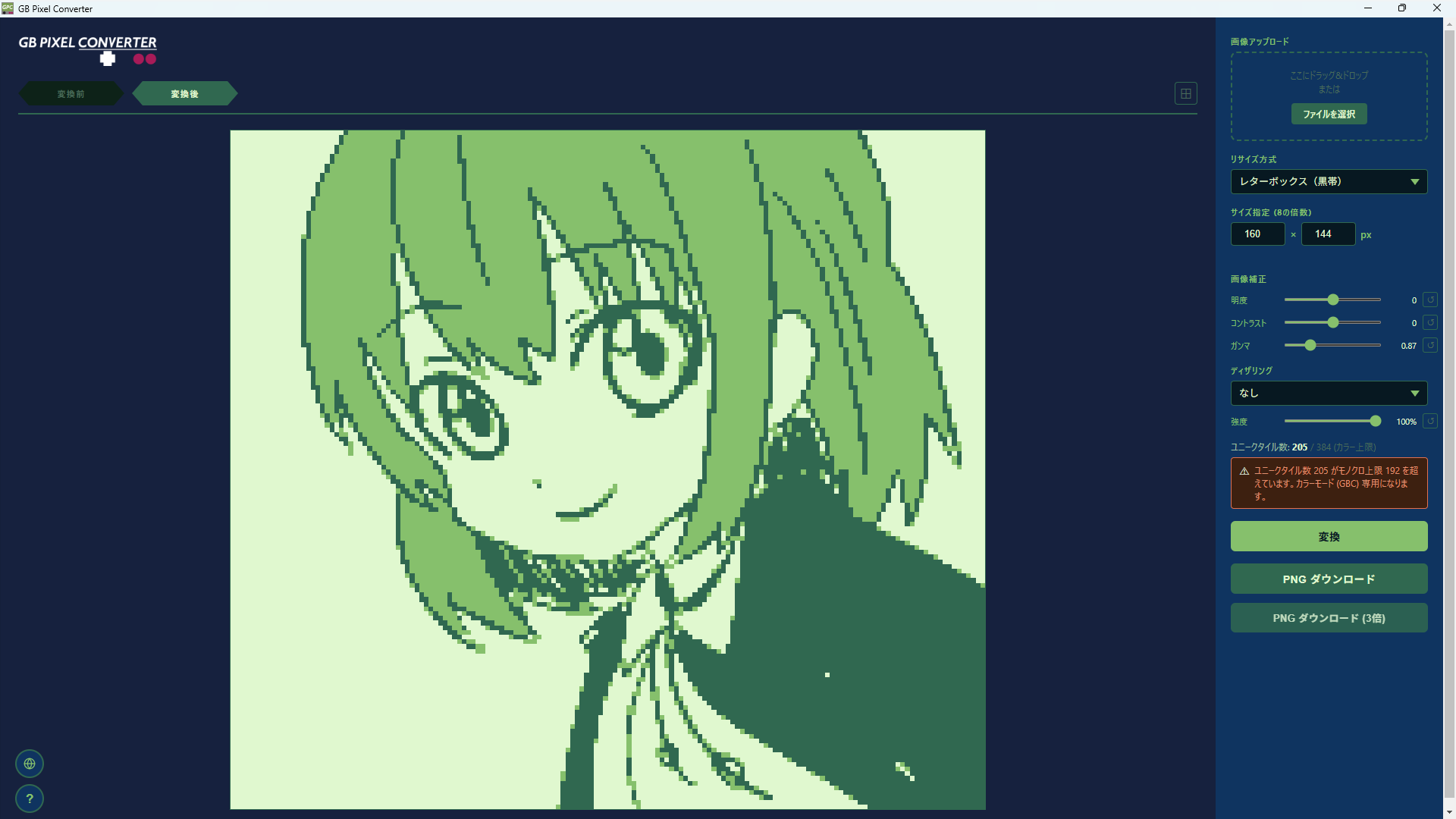
Sample
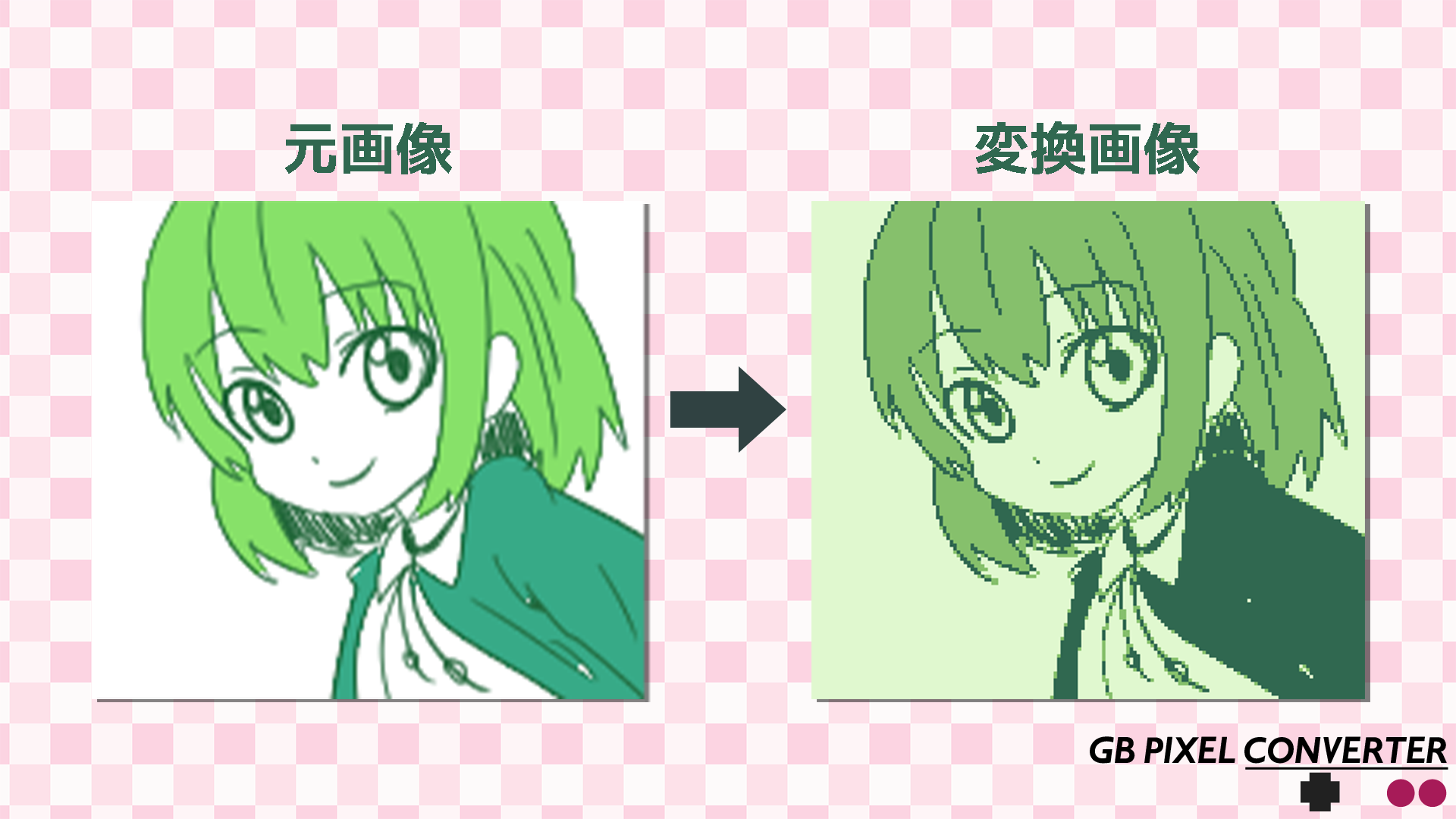
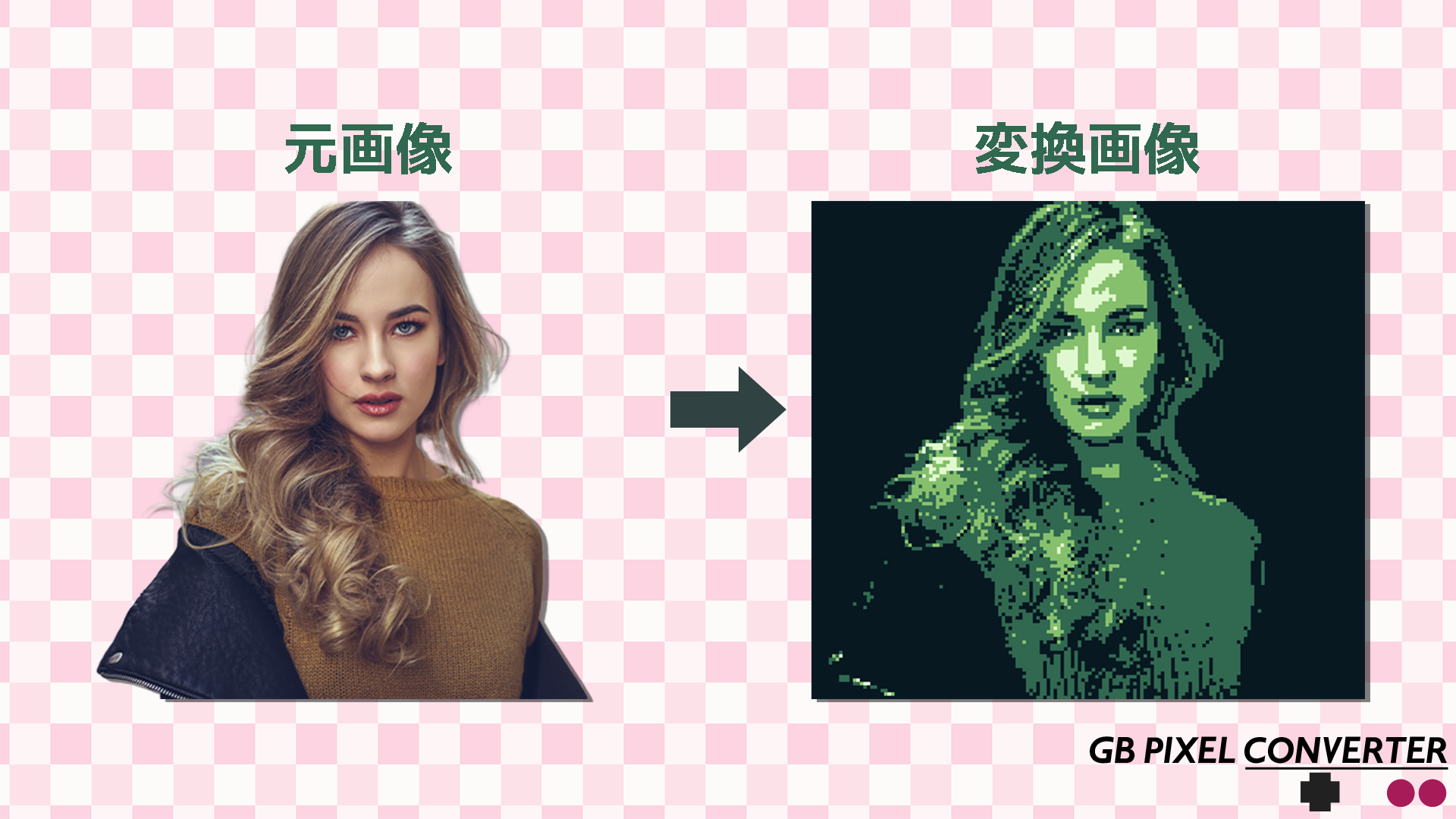
変換サンプルEven with the same image, the dithering method and adjustment settings can change the look dramatically.
How to
使い方Upload an Image
Load any image by dragging and dropping it or by choosing a file.
Set Size and Adjustments
Choose a resize mode and output size (a multiple of 8), then adjust brightness, contrast and gamma if needed.
Choose Dithering
Pick your favorite of the 9 methods and tune the graininess with the intensity slider.
Convert and Check
Preview the result with the “Convert” button. The ⊞ button also shows an 8×8px grid.
Save the PNG
Download as a 1x PNG or a 3x-size PNG. Import the 1x version into GB Studio.
Dither
ディザリング方式| Method | Characteristics & Best-Suited Images |
|---|---|
| None | Clean and simple. Good for high-contrast images and pixel art. |
| Floyd-Steinberg | Natural graininess. Ideal for photos and gradient images. |
| Atkinson | Diffuses only 3/4 of the error. Resists blown-out highlights and has a retro Mac look. Pairs great with GB. |
| JJN | Diffuses over a wide area. Smoother than Floyd-Steinberg. Good for images with lots of fine detail. |
| Stucki | Even smoother than JJN. Less noise for a clean finish. |
| Sierra Lite | Lightweight error diffusion. A texture between Floyd and Bayer. |
| Bayer 2×2 | Coarse pattern. The strongest pixel feel. |
| Bayer 4×4 | A well-balanced pattern with a strong retro feel. |
| Bayer 8×8 | Fine pattern. Richer gradient rendering. |
Lowering the intensity slider weakens the dithering effect, letting you mix smoothness with a stippled look.
Tips
使いこなしBrightness
Makes the whole image lighter or darker. For dark photos, raising it by about +20 to +40 makes them easier to see.
Contrast
Emphasizes the difference between light and dark. Without dithering, setting it higher (+30 to +60) gives a punchier result.
Gamma
Adjusts the brightness of the midtones. 1.0 is the baseline, and raising the value brightens the midtones.
Tile Limit
GB tiles are managed in 8×8px units. Monochrome allows up to 192 tiles, and color (GBC) allows up to 384 tiles.
If You Exceed the Tile Limit
Raising the contrast or changing the dithering method can help. Bayer-type methods tend to use fewer tiles than error-diffusion methods.
Importing into GB Studio
Place the 1x PNG in the Backgrounds folder to import it. The 3x download is for previewing only, so do not use it in GB Studio.
Grid View
The ⊞ button at the top right of the After tab shows the 8×8px tile boundaries. Handy for checking how the image splits into tiles and for catching misalignment before import.
Archive
配布終了Distribution Ended
Distribution of this software has ended. (May 21, 2026)
Disclaimer
This software is provided “as is.” The author accepts no responsibility for any damages arising from its use.
Privacy
プライバシーポリシーEverything is processed inside your browser. See the Privacy Policy for details.