

SVG Favicon
Just load an SVG
and generate a favicon.ico with multiple sizes in one go.
About
ツールについてA Windows desktop app that generates a favicon.ico containing multiple sizes just by loading an SVG file. All processing is done locally, and your files are never sent anywhere.
Drag and Drop Support
Just drag and drop an SVG file onto the panel to load it. You can also paste SVG code directly.
Choose Multiple Sizes Freely
Choose any combination of the seven sizes (16 / 24 / 32 / 48 / 64 / 128 / 256 px) to include in the ICO.
Check the Result in a Preview
Check a preview of each size before downloading, so you can confirm it looks the way you intended.
Fully Offline
No internet connection required. Since all processing is done locally, your SVG data is never sent anywhere.
Installer / Portable
In addition to the regular installer, a portable version that runs without installation was also available.
Screen
スクリーンショット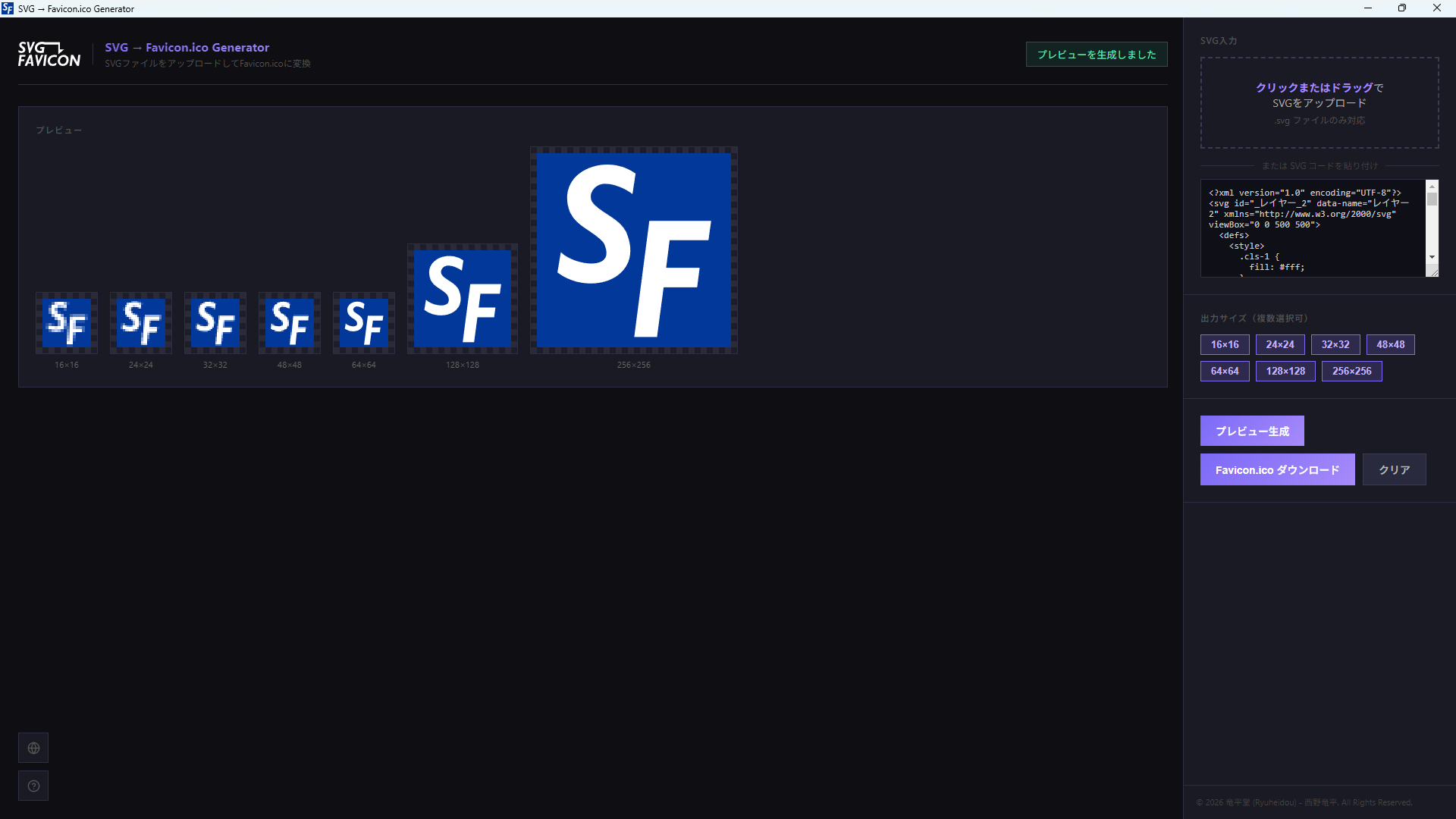
How to
使い方Prepare Your SVG
Prepare an SVG file or SVG code.
Upload or Paste
Drag and drop onto the right panel, or paste SVG code directly.
Choose Output Sizes
Select the sizes to include in the ICO. You can select multiple. Recommended: 16 / 32 / 48 px.
Generate Preview
Click “Generate Preview” to check each size on the left. If you change the SVG or the sizes, click it again.
Download
Press “Download Favicon.ico” to save. An ICO file containing all the sizes you selected is generated.
Sizes
サイズ選択ガイド| Size | Use & Description |
|---|---|
| 16 px Recommended | The smallest size, shown in browser tabs and address bars. A basic size that is practically essential. |
| 24 px | An intermediate size used by some browsers and operating systems. |
| 32 px Recommended | A standard size used for the taskbar and high-resolution tab displays. |
| 48 px Recommended | Used for Windows desktop shortcuts and in File Explorer. |
| 64 px | Useful when a larger icon display is needed. |
| 128 px | Supports display on high-resolution monitors and in icon lists. |
| 256 px | The largest size. Used when a large icon display is needed, such as in Windows jump lists. |
For a typical website, the three sizes 16 / 32 / 48 px are recommended. Add more sizes to suit your needs.
Archive
配布終了Distribution Ended
Distribution of this software has ended. (May 21, 2026)
Disclaimer
This software is provided “as is.” The author accepts no responsibility for any damages arising from its use.
Privacy
プライバシーポリシーAll processing is done locally on your PC. See the Privacy Policy for details.